Guidelines for cleaning data
Important
If you want to clean data, please read carefully the following guidelines:
Download data yourself
This repository does NOT contain IOC data and does not manage data acquisition.
- Data download is not handled internally
- Examples (in this
READMEor intests) use thesearveypackage - A release of cleaned data through Zenodo is considered (although not planned yet)
Cleaning is difficult - Examples
In some cases, cleaning is easy and is just about removing spikes
Spikes
Advice for Spikes
Remove all spikes selected by copying all timestamps in the dropped_timestamps: [] array in the JSON file.
See details on the JSON structure
Numerical vs. Physical phenomena
It becomes more difficult when it comes to distinguishing noise (either numerical or physical e.g. boat wakes) from real physical events (like harbour seiches or tsunamis).
Physical - Seiches
Here an example of what seems to be a harbour seiche in LA23 - Lampedusa station (IT):
Advice for Seiches
Do nothing
Physical - Tsunamis
Here is the 2025 Kamchatka Peninsula Tsunami captured by cres - Crescent City station (CA, USA):
Physical - Tsunamis (de-tided)
Same tsunami and station, detided:
Advice for Tsunamis
Use the selection box to get the tsunami time range and copy it in the tsunami: [] array in the JSON file.
See details on the JSON structure
Numerical - Noise
In some case, numerical noise is easy to isolate like for this station:
Advice for Noise
When you're confident about the noise nature, use the selection box to select either time steps or time ranges and paste them in dropped_date_ranges or dropped_timestamps depending on the case.
See details on the JSON structure
Numerical - Flat signal
Some stations can have parts of flat signal.
Advice for flat signal
Remove flat parts from the data.
If the flat parts are long enough and easy to isolate, select the flat ranges and paste them in the dropped_date_ranges. If it is too complicated (like in this example), you can select multiple part of the data and paste in dropped_timestamps.
See details on the JSON structure
Numerical - Unknown
In other case, the nature of the noise is difficult to identify. There could be lots of reasons:
- physical induced noise:
- wakes from boats passing in the vicinity of the station
- seiches (or surfbeat) of shorter period than the sampling frequency
- waves affecting directly the sensor
- numerical-induced noise
- station not well calibrated
- more unknown reasons
Example 1
Example 2
Advice for Noise
When you're NOT confident about the noise nature, do nothing
Steps
Steps - Short (DST)
Some steps are easy to isolate and deal with. A recurrent error found on tidal stations occurs during DST (Daylight saving time) changes:
Advice for short steps segments
When the step is short, you can use the box select tool to get the time range of the step and paste it in dropped_date_ranges.
See details on the JSON structure
Steps - Long
Some steps - or offsets - can be caused by mulitple reasons:
- a sensor change
- a re-calibration
- any ohter unkonwn reason
Advice for long steps segments
When the step is a long - years spanning - segment, select one time step between the break and add it to the breakpoints: [] array in the JSON file. For the above example we have :
See details on the JSON structure
Disclaimer for long steps or offsets
We don't provide any fix for steps or offsets in the data.
The ioc_cleanup.clean() does not demean any part of the signal.
In the dashboard, we demean signal between breakpoints just for the ease of visualization (more details in ioc_cleanup._tools).
Vertical datum
Vertical datum
Vertical datum are not yet corrected in ioc_cleanup.
It is unclear how local data providers have set-up their sensor calibration and if they all respect local vertical datum conventions.
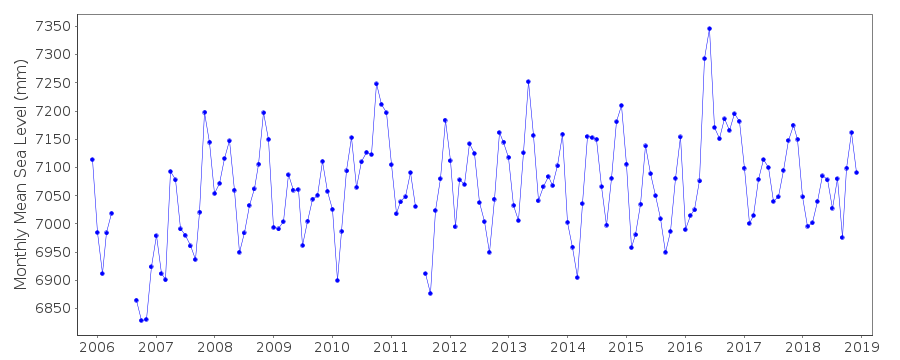
A interesting lead would be in using the PSMSL (Permanent Service for Mean Sea Level) data available at least for all GLOSS stations:
Subjectivity
Subjectivity
- Cleaning decisions are inherently subjective
- Different operators may disagree on what should be discarded